Plugins / Vesper
Algorithmic ReverbVesper
A reverb that knows when to throw.
Three-band decay, early reflections and analog colour, plus Throw: one big knob that sends your vocal or snare into a wash of reverb, delay and filter, then pulls it back.
Coming soonTell me when it's out
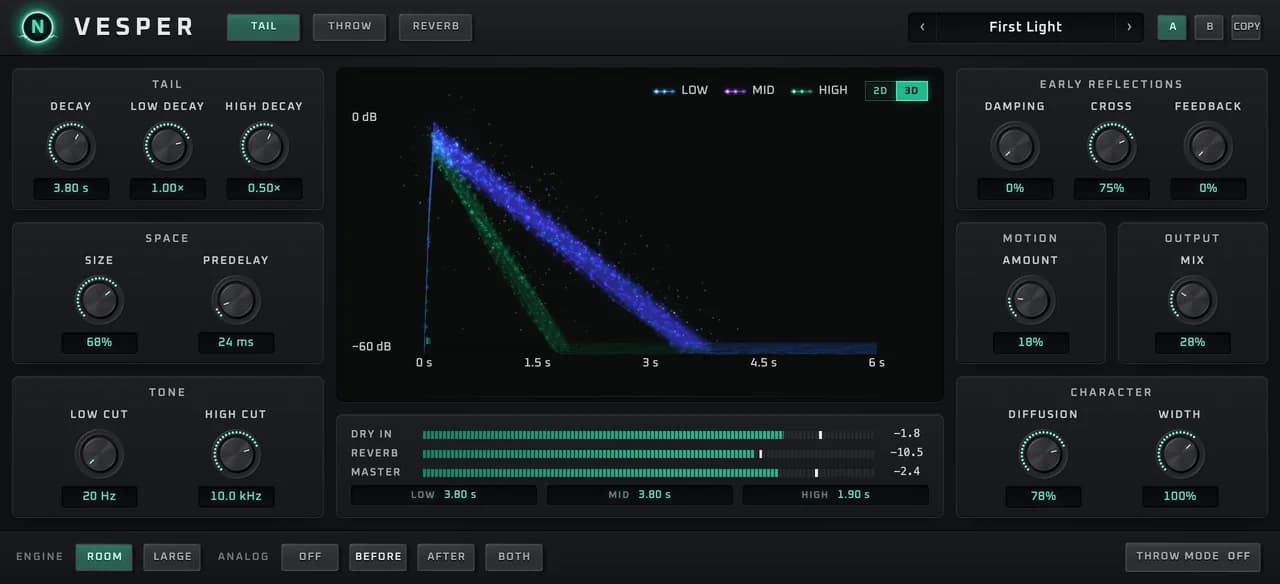
See the tail
The Tail view draws your reverb's decay in three bands, in 2D or 3D. Set Low, Mid and High decay separately and watch the lows hang while the highs fall away.
- Low / Mid / High Decay
- 3D Tail View
- Throw Mode
- Delay + Filter Throw
- Early Reflections
- Analog Before / After
- A/B Compare
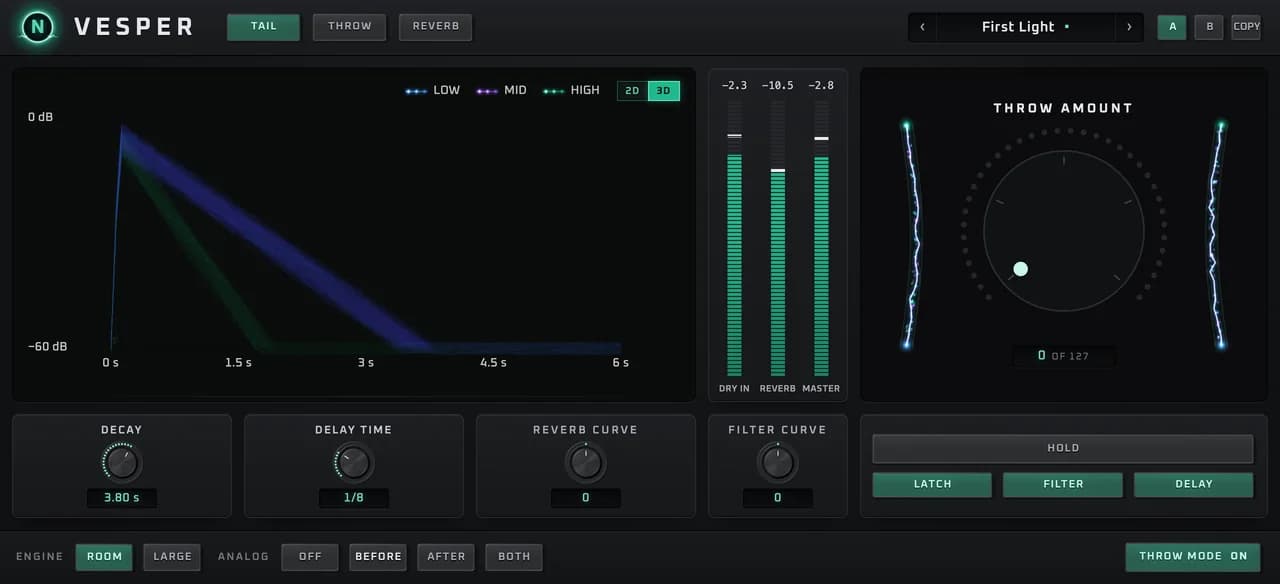
01
Throw it
Turn on Throw Mode and the right side becomes one knob. Ride Throw Amount and Vesper opens the reverb, the delay and the filter together on their own curves. Hold, Latch, Filter and Delay decide what the throw does.
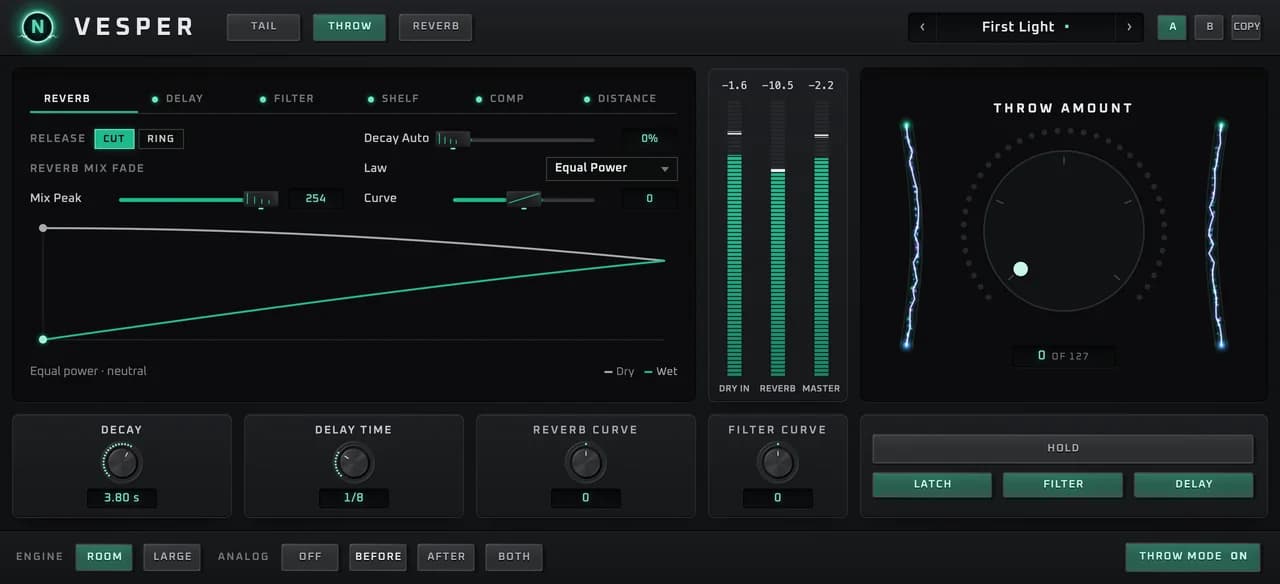
02
Shape the throw
Throw Settings has a page each for Reverb, Delay and Filter. Pick the mix-fade law and curve, shorten the decay at low throw, and see the dry and wet curves before you hear them.
What's inside
Three-band tail
Decay, Low Decay and High Decay shape how long each part of the spectrum rings. Size, Predelay, Low Cut and High Cut finish the space.
Early reflections
Damping, Cross and Feedback set the first bounces, so a room can sound tight, wide or metallic before the tail arrives.
Engines and motion
Metallic, Room and Large engines, with a Motion control that keeps long tails from sounding static.
Analog stage
Put the analog colour before the reverb, after it, or both, or switch it off for a clean tail.
Throw Mode
One performance knob for dub throws and vocal tails, with a reverb curve and a filter curve you set once and ride all session.
Distance
Push a throw further back: the top end softens, the level drops and the image can narrow as the Throw rises.
- Type
- Algorithmic reverb with Throw
- Compare
- A/B slots with copy
System requirements
- macOS
- 12 Monterey or later
- Processor
- Apple Silicon or Intel Mac (universal)
- Formats
- AU and VST3, 64-bit, in any AU or VST3 host
- Activation
- An internet connection to activate your license
- Windows
- Not available yet